
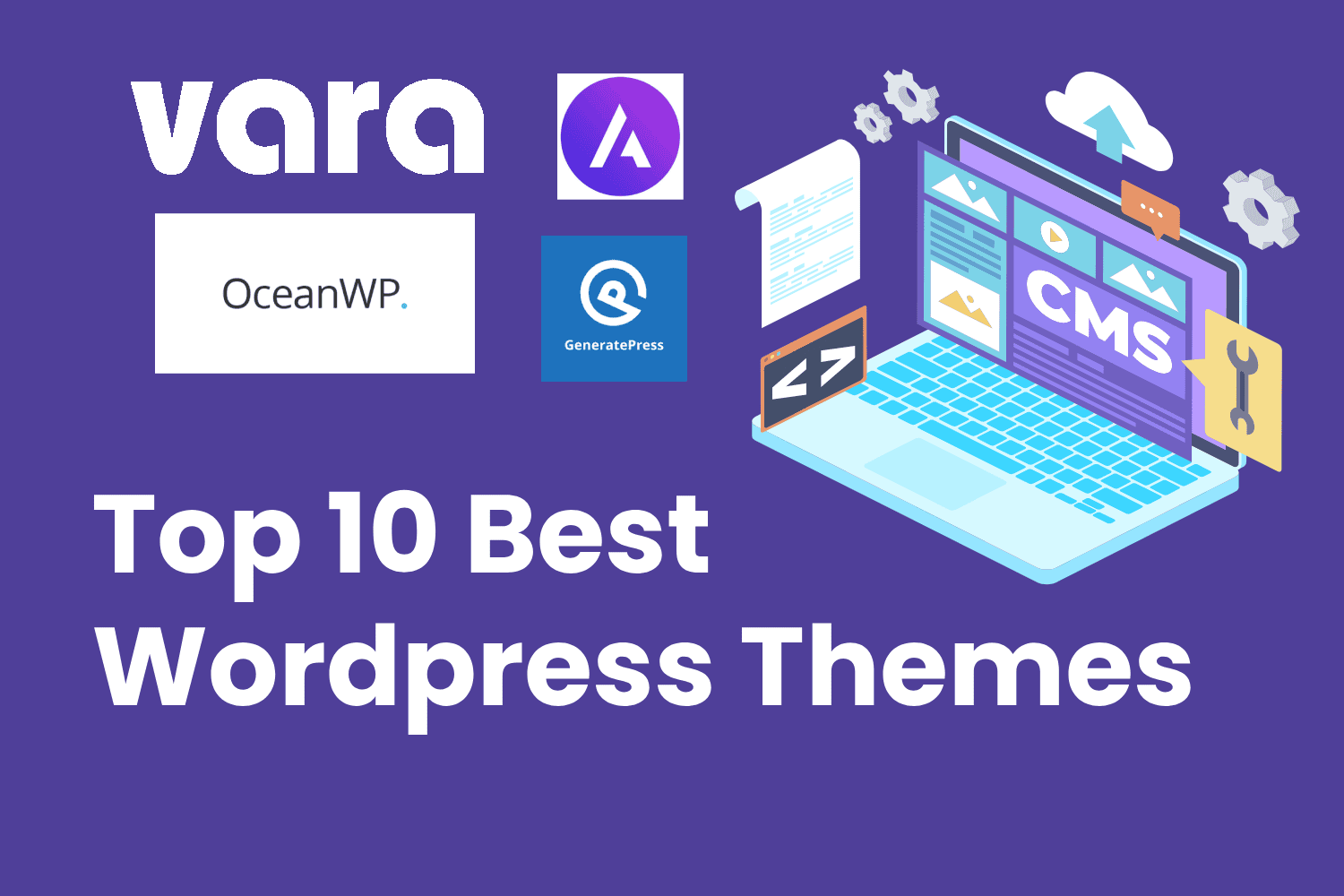
Choosing the right WordPress theme decides how fast your site loads, how good it looks on mobile, and how easily you can change anything without touching code. With more than 8,500 free themes in the official WordPress directory, the choice can feel overwhelming.
We tested and compared the most popular free WordPress themes of 2026 on speed, design flexibility, page-builder compatibility, and ease of use. Our own theme, Vara SaaS, leads the list, followed by nine proven community favourites. Every theme below is free and available from the official WordPress.org directory.
1. Vara SaaS — Best for SaaS and Startup Websites
Vara SaaS is our own hybrid WordPress theme, built specifically for SaaS companies, startups, and software businesses that want a fast, modern website without bloat. Where most multipurpose themes try to serve everybody and end up heavy, Vara SaaS focuses on one job: presenting a software product beautifully and converting visitors into trial users and customers. It ships with clean layouts for hero sections, feature grids, pricing tables, testimonials, and call-to-action blocks, so a startup can launch a convincing marketing site in a day rather than a month.
Under the hood, Vara SaaS is a hybrid theme, which means it works with both the Gutenberg block editor and the Elementor page builder. Teams that prefer native WordPress blocks get full styling support, block patterns, and wide/full-width layouts, while teams that already build with Elementor can design freely without fighting the theme. Accessibility-ready markup, translation readiness, portfolio and blog templates, custom logo, colours, header, and background options round out a package that covers everything a young company needs. Because it was built recently, the code follows current WordPress coding standards and supports the latest WordPress versions, so you start on a clean, future-proof foundation instead of inheriting a decade of legacy code.
Speed was a design goal from day one. Vara SaaS keeps stylesheets lean and avoids loading script libraries you never use, which helps your pages score well on Core Web Vitals and keeps mobile visitors engaged. For a SaaS business, every extra second of load time costs signups, so a theme that stays out of the performance budget’s way is a genuine business advantage. Being our own product, it is also backed by direct support from the developers who wrote it, and it will keep evolving with features requested by real SaaS teams.
Pros
- Purpose-built for SaaS and startup sites, not a generic multipurpose theme
- Works with both Gutenberg blocks and Elementor page builder
- Accessibility-ready and translation-ready markup
- Lightweight code that helps Core Web Vitals scores
- Direct support from the theme developers
Cons
- New theme with a small user base, so fewer community tutorials exist yet
- No reviews on WordPress.org yet — early adopters take a small leap of faith
- Focused on SaaS layouts, so less ideal for magazines or complex portals
2. Astra — Best All-Round Multipurpose Theme
Astra is the most installed free WordPress theme in the world, running on well over one million websites, and that popularity is earned. Its core promise is simple: a base stylesheet under 50KB, no jQuery dependency, and clean code that lets your page builders and content do the talking. Out of the box it feels almost invisible, which is exactly what you want from a foundation theme. You then shape it with the WordPress Customizer or your favourite page builder, and Astra stays out of the way while your design shines through.
Where Astra truly pulls ahead of rivals is its starter-template library. With hundreds of ready-made website demos covering business, portfolio, e-commerce, restaurant, fitness, and dozens more niches, you can import a complete professional design in minutes and then swap in your own text and images. It works seamlessly with Elementor, Beaver Builder, Gutenberg, and the other major builders, and its deep WooCommerce integration makes it a safe default for online stores too. Performance options like self-hosted Google Fonts, system-font stacks, and granular control over what loads on each page help keep scores green even as the site grows.
The trade-off is that Astra’s business model gently pushes you toward the paid Pro version. The free theme is genuinely capable, but the most attractive starter templates, advanced header layouts, sticky headers, and conversion features sit behind the paywall. For beginners this is rarely a problem at first, though growing sites often end up upgrading. Still, as a free starting point with unmatched documentation, community size, and compatibility, Astra remains the safest recommendation for anyone who wants flexibility without surprises.
Pros
- Extremely lightweight (under 50KB) with excellent default performance
- Huge starter-template library for nearly every niche
- Works with all major page builders plus Gutenberg
- Massive community, tutorials, and third-party addons
- Solid free WooCommerce support for online stores
Cons
- Best templates and advanced headers require the paid Pro version
- Default look is plain — you must customise to avoid a generic feel
- Settings are spread across many Customizer panels, which can overwhelm beginners
3. OceanWP — Best Free Theme for WooCommerce Stores
OceanWP has built its reputation as the free theme that gives online stores the most without charging a rupee. While most free themes treat e-commerce as an afterthought, OceanWP ships native WooCommerce features that rivals charge for: cart pop-ups, floating add-to-cart bars, product quick view, off-canvas filters, and distraction-free checkout options. If your primary goal is selling products rather than publishing articles, OceanWP deserves to be at the top of your shortlist because it removes the need for half a dozen paid plugins on day one.
Beyond e-commerce, OceanWP is a genuinely flexible multipurpose theme. It offers multiple free demo sites, deep layout controls for headers, footers, archives, and single posts, plus compatibility with Elementor, Gutenberg, and the other popular builders. Developers appreciate its clean code, translation readiness, RTL support, and hooks for extending functionality without hacking core files. The theme is actively maintained with regular updates, and its documentation covers everything from basic setup to advanced customisation with code snippets.
The price of all this capability is weight. At over 100KB with more options and scripts than minimalist rivals, OceanWP needs more careful performance tuning to match the load times of Astra or GeneratePress. Beginners can also feel lost among the sheer number of panels and toggles. And like Astra, OceanWP reserves its flashiest demos and extensions for paid bundles. None of this disqualifies it — for a free WooCommerce theme, the value is outstanding — but speed-focused bloggers will be happier with a lighter alternative.
Pros
- Best-in-class free WooCommerce features (quick view, floating cart, off-canvas filters)
- Many free demos and deep layout controls
- Developer-friendly with hooks, RTL, and translation support
- Works with all major page builders
Cons
- Heavier than minimalist themes — needs performance tuning
- Huge number of options can overwhelm beginners
- Premium demos and extensions require paid bundles
4. GeneratePress — Best for Speed and Developers
GeneratePress is the theme speed purists recommend when every kilobyte counts. Its base install is under 30KB — roughly half the size of Astra — and it scores a perfect 100 on both mobile and desktop in Google Lighthouse tests on the official demo. It achieves this by doing less: no heavy bundled scripts, no page-builder lock-in, just clean, accessibility-conscious code that renders fast on any hosting. With over 500,000 active installs and a near-perfect user rating, it has proven that minimalism scales.
GeneratePress follows the classic WordPress workflow of Customizer plus widgets rather than full-site editing, which makes it instantly familiar to anyone who has used WordPress for years. Its layout controls, co-lour and typography options, and block-level settings cover professional needs without clutter, and the optional premium plugin adds precisely scoped modules — sections, advanced headers, footers, blog layouts — that you enable only when needed. Developers love its hooks, filters, and sane markup, and agencies love that client sites stay fast and easy to maintain for years.
The honest downside is visual excitement. Out of the box, GeneratePress looks deliberately plain, and turning it into a striking design takes more effort or the premium add-on than with template-heavy rivals. Beginners expecting one-click beautiful demos may feel underwhelmed at first sight. But if your priorities are performance, stability, accessibility, and a codebase you will still love maintaining in five years, GeneratePress is arguably the finest free foundation available.
Pros
- Under 30KB — among the fastest themes ever measured (100/100 Lighthouse)
- Clean, accessible code developers trust
- Modular premium addon — pay only for features you use
- Rock-solid stability with 500,000+ active installs
Cons
- Plain default design — needs work or premium modules to look striking
- Few free starter demos compared to Astra or OceanWP
- Classic Customizer workflow rather than modern full-site editing
5. Neve — Best Mobile-First Theme for Small Business
Neve was designed mobile-first at a time when most themes still treated phones as an afterthought, and that heritage shows in its excellent small-screen performance. Pages feel snappy on budget Android phones, layouts adapt gracefully, and the theme even supports AMP for publishers who want instant-loading mobile articles. For local businesses whose customers overwhelmingly arrive on mobile — restaurants, salons, clinics, trades — Neve’s out-of-the-box mobile experience is a meaningful advantage that competitors only match after heavy optimisation.
Getting started is genuinely quick. One-click demo import brings in polished starter sites for business, portfolio, shop, and blog niches, and the Customizer exposes header, footer, layout, co-lour, and typography controls in a clean interface that beginners understand within minutes. Neve plays nicely with Elementor, Beaver Builder, and Gutenberg alike, includes solid WooCommerce support for small catalogues, and follows SEO best practices in its markup so your content starts on the right foot with search engines.
Neve’s limitations mirror its strengths. The starter-site library is smaller than Astra’s, the free customisation depth is moderate rather than exhaustive, and large complex stores will outgrow it sooner than OceanWP or Kadence. It is also a theme that rewards staying within its design language — pushing it into wildly custom territory takes more effort. But for freelancers, startups, and small businesses that want a professional mobile-friendly site live this week, Neve hits the sweet spot between simplicity and capability.
Pros
- Superb mobile performance with AMP support
- One-click starter sites and beginner-friendly Customizer
- Lightweight (~45KB) and SEO-optimised markup
- Good compatibility with page builders and WooCommerce
Cons
- Fewer starter templates than Astra
- Moderate customisation depth in the free version
- Less suited to large, complex e-commerce catalogues
6. Kadence — Best for Gutenberg Block Editor Fans
Kadence is the theme for people who love the WordPress block editor and never want to install a page builder. Its header and footer builder is the standout feature — a visual drag-and-drop canvas where you arrange logos, menus, buttons, search, and social icons into responsive rows, with independent layouts for desktop, tablet, and mobile. This single capability replaces what used to require custom code or premium plugins, and it remains free. Around it sits a deep system of global colours, typography scales, spacing controls, and layout options that give block-built pages a genuinely designed feel.
Performance is a first-class citizen rather than a marketing claim. Kadence is lightweight at around 40–65KB depending on configuration, defers what it can, and is tuned for Core Web Vitals, so block-heavy pages still score well. The companion Kadence Blocks plugin extends Gutenberg with advanced rows, galleries, tabs, accordions, testimonials, and form blocks, creating an ecosystem where the entire site — content and chrome — is built from blocks. Full WooCommerce compatibility, starter templates, and thoughtful accessibility round out a theme that feels modern in every detail.
The main caveat is philosophical: Kadence rewards the block-editor faithful and is less magical for devoted Elementor users, who will find Astra or Hello Elementor more native to their workflow. Its power also brings learning curve — the header builder and global design system take an afternoon to master. And while the free version is generous, the most sophisticated starter patterns and pro blocks sit behind Kadence Pro. For block-first builders, though, no free theme offers more design control.
Pros
- Superb free visual header/footer builder with per-device layouts
- Deep Gutenberg integration with global design system
- Lightweight and tuned for Core Web Vitals
- Full WooCommerce compatibility and starter templates
Cons
- Less ideal for dedicated Elementor workflows
- Powerful options take time to learn
- Best starter patterns and blocks need the Pro upgrade
7. Blocksy — Best for Designers and Creatives
Blocksy is the young challenger that won designers over with an interface that feels like a modern design tool rather than a settings page. Its Customizer panels show live previews, visual controls, and responsive toggles everywhere, so adjusting the header, hero, cards, or shop layout feels intuitive instead of technical. Dynamic content blocks, custom headers and footers, and per-page layout overrides give creatives the control they usually associate with premium themes — all in the free version.
Despite the visual richness, Blocksy stays genuinely fast. It is built on modern techniques like code splitting, lazy rendering of Customizer controls, and lean vanilla JavaScript, which keeps both the admin experience and the front end snappy. Gutenberg integration is deep, WooCommerce support is thoughtful with attractive product-card and quick-view options, and the growing starter-site collection covers portfolios, agencies, shops, and blogs with a contemporary aesthetic that looks current rather than corporate.
Blocksy’s youth is both its charm and its risk. With a shorter track record than Astra or GeneratePress, it has had occasional growing pains, and its community and tutorial library are smaller, so obscure problems take longer to solve. Some advanced e-commerce and white-label features require the Pro version. If you value cutting-edge design controls and are comfortable with a theme still maturing, Blocksy is the most exciting free option available; if you value a decade of battle-testing, pick an older rival.
Pros
- Beautiful, modern Customizer interface designers love
- Premium-style features free (content blocks, custom headers/footers)
- Fast despite rich visuals, thanks to modern code techniques
- Strong Gutenberg and WooCommerce integration
Cons
- Younger theme with a shorter stability track record
- Smaller community and fewer tutorials than established rivals
- Some advanced features need the Pro version
8. Sydney — Best for Business and Freelancer Sites
Sydney has quietly served the business-website niche for years, and its formula still works: a strong full-screen hero with parallax slider, prominent call-to-action buttons, and ready-made sections for services, team members, testimonials, clients, and contact details. For freelancers, consultants, and small agencies, this means the homepage practically builds itself — add your headline, your services, your face, and your contact form, and you look established from day one.
Sydney integrates with Elementor through companion blocks and widgets that extend the page builder with business-focused elements like employee profiles, timelines, and pricing tables. The Customizer covers colours, fonts, layouts, and blog options sensibly, Google Fonts come built in, and the theme is translation-ready with WooCommerce compatibility for businesses that also sell. Its long history means genuinely stable code and answers already written for almost every common question in the support forums.
Sydney shows its age in places. The design language leans corporate-traditional rather than cutting-edge, deep visual customisation lags behind Blocksy and Kadence, and several attractive homepage sections and Elementor extras require the Pro version. Performance is respectable rather than class-leading. Think of Sydney as the reliable business suit of WordPress themes: not fashionable, but appropriate, dependable, and ready for work immediately.
Pros
- Business-ready homepage sections (services, team, testimonials, clients)
- Strong full-screen hero with slider and call-to-action focus
- Stable, long-maintained code with deep forum knowledge
- Good Elementor integration for business content
Cons
- Design feels traditional next to newer themes
- Several homepage sections and extras need the Pro version
- Performance is decent but not class-leading
9. Hestia — Best One-Page Theme for Startups
Hestia takes a different approach from everything else on this list: instead of a traditional multi-page structure, it presents your business as one elegant scrolling page built from stacked sections — hero, features, about, team, testimonials, pricing, blog highlights, and contact. This one-page flow, styled with Google’s Material design language, is perfect for startups, apps, and small businesses whose whole story fits in a five-minute scroll. Visitors never get lost because there is nowhere to get lost.
Despite the focused concept, Hestia is surprisingly complete. It works with Elementor and Gutenberg, supports WooCommerce for taking orders, includes a blog for content marketing, offers video backgrounds and parallax effects, and provides starter sites that set up the full one-page flow in minutes. The Customizer keeps controls approachable for beginners, and the theme’s popularity over many years means hosting companies, tutorials, and developers all know it well.
The one-page concept is also Hestia’s ceiling. Businesses that need deep multi-page architectures, documentation hubs, or large catalogues will fight the theme rather than flow with it, and heavy use of its visual effects can weigh down performance if you enable everything at once. Several advanced sections and the most polished starter sites require Pro. Choose Hestia when your message is simple and your goal is one clear action — download, signup, or contact — and it will serve you beautifully.
Pros
- Elegant one-page Material design ideal for startups and apps
- Complete section set (pricing, team, testimonials, contact) out of the box
- Works with Elementor, Gutenberg, and WooCommerce
- Beginner-friendly with long-established documentation
Cons
- One-page structure limits large or complex sites
- Visual effects can hurt performance if overused
- Best sections and starter sites need the Pro version
10. Zakra — Best Lightweight Multipurpose All-Rounder
Zakra is the quiet overachiever of this list: a lightweight multipurpose theme that does a bit of everything well without demanding attention. Its pitch is balance — fast loading, modern designs, Gutenberg and Elementor compatibility, WooCommerce readiness, and a library of free demos spanning business, education, fitness, restaurant, and portfolio niches. For users who find Astra’s ecosystem overwhelming and GeneratePress too plain, Zakra lands comfortably in the middle with sensible defaults that look good immediately.
Practically, Zakra shines in its header and layout options. Multiple header styles, top bars, transparent and sticky headers, and flexible archive and single-post layouts give non-designers real control over the site’s feel from the Customizer alone. Performance is genuinely good thanks to lean code and minimal dependencies, and the theme stays current with WordPress standards, translation readiness, and accessibility considerations. Demo import is quick, and the documentation walks through each customisation without assuming expertise.
Zakra’s weakness is distinction rather than quality. It lacks a signature feature like Kadence’s header builder or OceanWP’s e-commerce depth, its community is smaller than the giants so niche tutorials are scarcer, and the most premium demos require the Pro version. It wins few head-to-head superlatives but loses almost no comparisons either. If you want a dependable, fast, good-looking free theme without strong opinions about your workflow, Zakra is an easy yes.
Pros
- Lightweight and fast with sensible, attractive defaults
- Good header styles and layout options in the free version
- Works with Gutenberg, Elementor, and WooCommerce
- Free demos across many niches with quick import
Cons
- No standout signature feature versus specialised rivals
- Smaller community means fewer tutorials and addons
- Premium demos require the Pro upgrade
Quick Comparison: All 10 Themes at a Glance
| Theme | Best for | Approx. size | Page builder support |
|---|---|---|---|
| Vara SaaS | SaaS & startup sites | Lightweight | Gutenberg + Elementor |
| Astra | All-round multipurpose | Under 50KB | All major builders |
| OceanWP | WooCommerce stores | Around 110KB | All major builders |
| GeneratePress | Speed & developers | Under 30KB | Elementor + Gutenberg |
| Neve | Mobile-first business | Around 45KB | All major builders |
| Kadence | Gutenberg fans | Around 40–65KB | Gutenberg-first |
| Blocksy | Designers & creatives | Lightweight | Gutenberg + WooCommerce |
| Sydney | Business & freelancers | Medium | Elementor + Gutenberg |
| Hestia | One-page startups | Medium | Elementor + Gutenberg |
| Zakra | Balanced all-rounder | Lightweight | Gutenberg + Elementor |
How to Choose the Right Theme
Match the theme to your project, not to popularity charts. Running a SaaS or startup site? Start with Vara SaaS or Hestia. Building an online store? OceanWP gives you the most free commerce features. Obsessed with speed scores? GeneratePress is unmatched. Living in the block editor? Kadence or Blocksy. Need maximum flexibility and templates? Astra. And always test your shortlisted themes with your actual content and plugins, because real-world speed depends on the whole stack, not the theme alone.
Need help choosing, customising, or building a child theme? Talk to our WordPress team for a free consultation.
Frequently Asked Questions
Are free WordPress themes safe to use?
Yes, provided you download them from the official WordPress.org directory, where every theme passes a security and code-quality review. Avoid nulled or pirated premium themes from random sites, they often contain malware.
Can I switch themes later without losing content?
Your posts, pages, and media stay intact when you switch themes, but layouts, widgets, and customiser settings may need rebuilding. Always take a full backup and test the switch on a staging site first.
Which free theme is fastest?
GeneratePress (under 30KB, 100/100 Lighthouse on its demo) is the speed champion, followed closely by Vara SaaS, Astra, Neve, and Kadence. Your hosting, images, and plugins matter just as much as the theme choice.
What is Vara SaaS?
Vara SaaS is a free hybrid WordPress theme by VR IT Services Pro, built for SaaS and startup websites. It works with both Gutenberg and Elementor and is available from the official WordPress.org directory.
What WordPress Theme Should I Choose for Hiring?
You can always choose the best performing, fastest theme. From the above list of themes, you can try Generate Press, Vara SaaS, Kadence, etc.
How Long Does It Take to Customize a WordPress Theme?
Based on the theme, the customization time varies. The features, buttons, media display, etc customizations will take merely 5-10 mins for wordpress developer. It may take more for a novice/newbie.
How to Test a WordPress Theme Before Committing
Be careful and picky while selecting your theme. You can play around with various themes until you find the best one that reflects your brand needs, and customizations. A better theme always provides many user friendly features to customize and reflect the users brand.